Don't worry, contact your boss immediately
Don't rush to close it, now, please talk to our boss directly. Usually reply within 1 hour.

John
JINAN SUNTEC CNC Machinery Co., Ltd
We Use SSL/3.0 To Encrypt Your Privacy

Bad acrylic cuts show up fast.
You can hide a rough MDF edge for a while. You can sand it, paint it, or bury it inside a cabinet. Acrylic gives you no such mercy. It turns cloudy. It melts. It chips. It shows every weak point in the machine, the bit, the vacuum table, and the operator’s setup.
That’s why I don’t choose a 3-Axis CNC Router for acrylic sign cutting by looking at price first.
I look at the edge.
If the edge is clean after a long cut, the machine deserves a second look. If the sheet moves, the bit screams, or the chips weld back into the slot, the quote can be cheap and still be a bad deal.
For flat acrylic signs, logo panels, lightbox faces, letters, plaques, display parts, and branded panels, a strong 3-Axis CNC Router usually makes more sense than a more complex machine. You need X, Y, and Z motion done well. Not extra motion you won’t use.
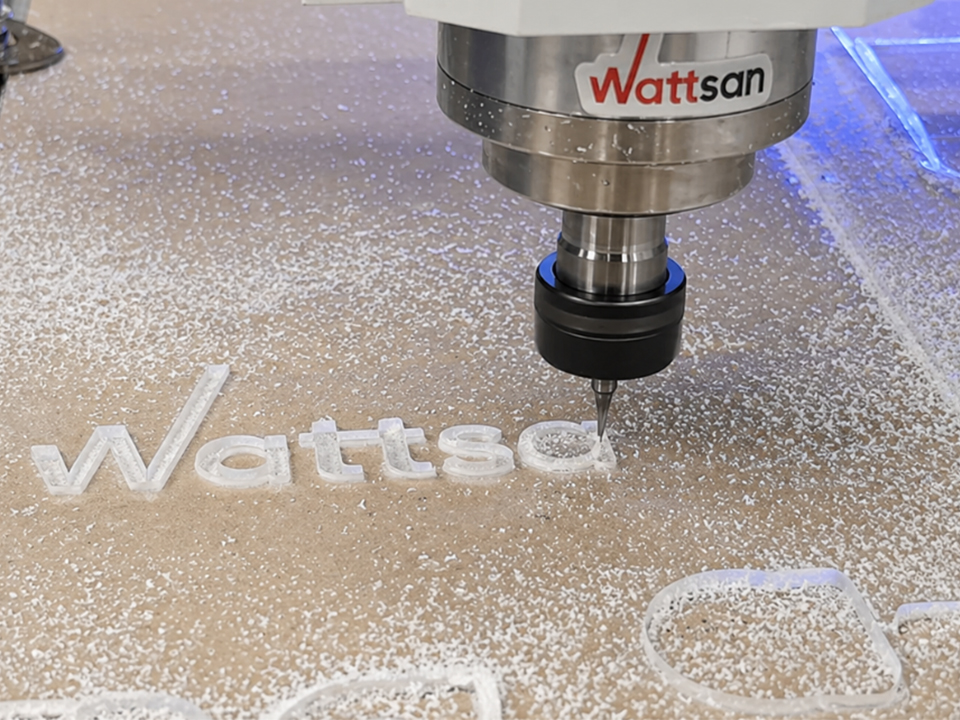
Acrylic is picky. That’s useful.
It tells you whether the frame is stiff enough. It tells you whether the spindle holds steady. It tells you whether the vacuum table has real grip. It also tells you whether your chip removal is doing its job.
Simple test: cut clear acrylic under bright light. Then look at the edge from close range.
If the edge is white, melted, rough, or uneven, something is wrong. Maybe the spindle speed is too high. Maybe the feed is too slow. Maybe the bit is dull. Maybe the frame is vibrating. Or maybe the machine was never built for daily acrylic work in the first place.
That last one hurts.
Many buyers chase spindle speed because it sounds impressive. I don’t. For acrylic sign cutting, speed without control just makes bad parts faster.
Acrylic needs a sharp cutter, real chip load, steady hold-down, and clean chip exit. SUNTECCNC talks about this in its article on CNC router machines in customized signage manufacturing, where rigid plastics like acrylic need the right spindle control, bit choice, and dust handling. That’s not theory. That’s what happens on the table every day.
Let’s keep this plain.
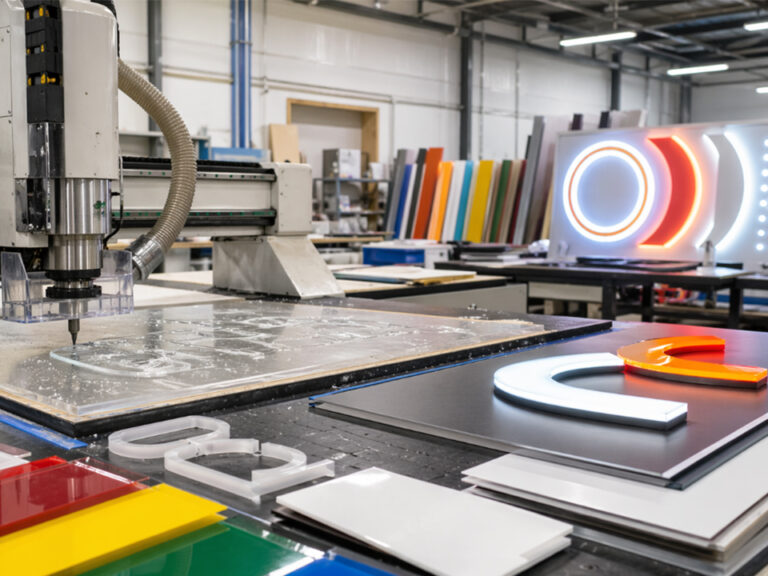
Most acrylic sign work is flat. You cut shapes. You drill holes. You engrave. You pocket. You chamfer a little. You cut letters, faceplates, lightbox panels, name boards, display parts, and logo panels.
That’s 3-axis work.
A 5-axis machine sounds exciting, but for most acrylic sign shops, it adds cost, training time, maintenance, and software load. If your daily work sits on a flat sheet, why pay for motion you don’t need?
This is where the argument in SUNTECCNC’s 3-axis vs. 5-axis CNC routers guide matters. The smarter move is not always buying the most complex machine. The smarter move is buying the machine that fits your real jobs.
A strong 3-axis router gives you:
That last part matters. A weak 3-axis router is still weak. A strong industrial 3-axis router can run acrylic, PVC, MDF, ACM, wood, and other sign materials all day with fewer surprises.
Here’s where buyers get trapped.
A desktop machine looks friendly. It’s cheaper. It takes less space. It can cut small acrylic plaques, samples, tags, and prototypes. For a small workshop or training room, that may be fine.
But sign production is different.
Once you start cutting larger acrylic sheets, nested letters, repeat logo panels, and full-size display parts, a desktop router starts to show its limits. The frame is lighter. The table is smaller. The spindle may not handle long hours well. The workholding may depend too much on tape, clamps, or luck.
Luck is not a production system.
SUNTECCNC’s desktop vs. industrial CNC routers guide makes this split clear. Desktop machines suit light work and small parts. Industrial CNC routers are built for heavier cutting, longer duty cycles, larger sheets, stronger frames, better vacuum systems, and higher repeatability.
For acrylic sign cutting, that difference shows in the edge.
| Shop Situation | Better Machine Choice | Why It Matters |
|---|---|---|
| Small plaques, samples, tags | Desktop or compact CNC router | Lower cost, smaller footprint, enough for light acrylic work |
| 3 mm to 6 mm acrylic signs | Strong 3-axis router | Better stability, cleaner edges, less chatter |
| Full-sheet acrylic panels | Industrial 3-axis CNC router | Larger work area, stronger vacuum, better repeat output |
| Mixed cutting, drilling, engraving | 3-axis router with ATC | Faster tool changes, fewer setup mistakes |
| High-volume panel work | Automated nesting CNC router | Less handling time, better sheet use, smoother workflow |
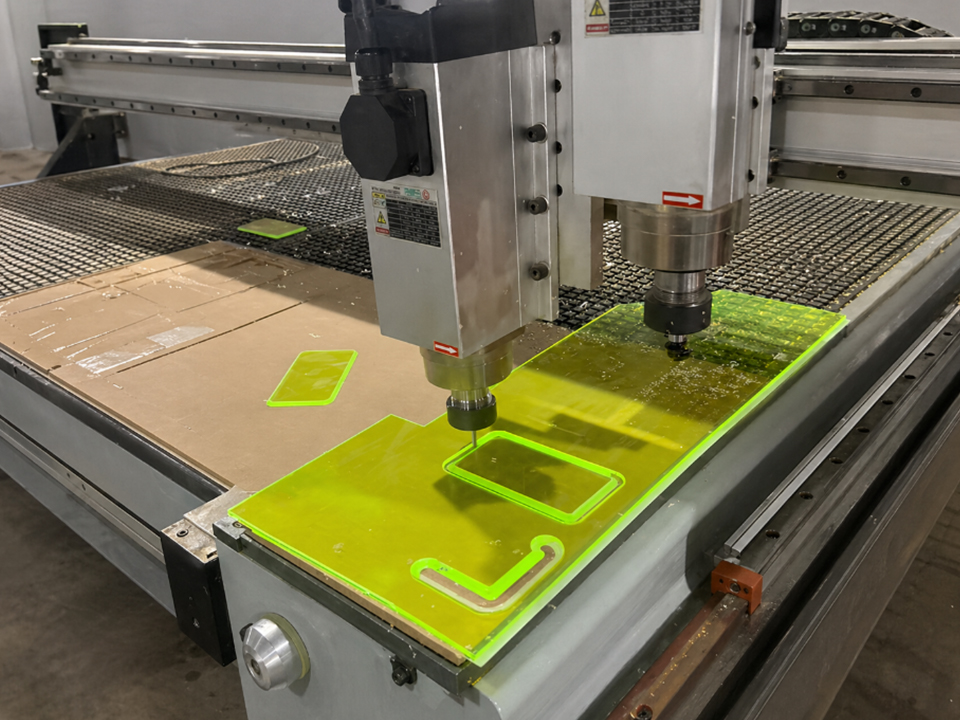
I’d check frame rigidity first.
Then vacuum hold-down.
Then spindle stability.
Then chip removal.
Then service.
In that order.
Acrylic hates vibration. If the gantry shakes, the edge shows it. If the tool deflects, small letters look poor. If the frame is too light, the machine may cut a demo well but struggle during longer jobs.
You want a heavy structure, stable motion, and a frame that doesn’t feel like it was built for hobby use.
Thin acrylic can lift during cutting. Small letters can move. Large sheets can bow. Once that happens, the bit stops cutting cleanly and starts fighting the material.
A zoned vacuum table helps because you can control the area you’re holding. That matters when you cut different sheet sizes. It also reduces clamp problems. Clamps get in the way. Vacuum keeps the workflow cleaner.
Don’t just ask, “How fast is the spindle?”
Ask whether it holds speed under load. Ask what spindle brand is used. Ask whether the machine supports the tools you need for acrylic, such as O-flute and single-flute cutters.
Acrylic needs cutting, not rubbing. If the bit rubs, heat builds. If heat builds, the edge goes bad.
Acrylic chips must leave the cut.
If chips stay in the slot, the bit cuts them again. Then heat rises. Then chips stick. Then the edge turns cloudy or rough.
A good acrylic setup needs the right dust shoe, air assist, toolpath, and cutter. SUNTECCNC’s article on advanced CNC router cutting techniques makes a useful point about chip load, feed rate, spindle speed, and toolpath control. Those small setup choices decide whether your cut looks premium or cheap.
This part sounds boring until the machine stops.
Acrylic sign shops run on delivery dates. When a controller alarm, spindle issue, vacuum fault, or servo problem shuts the table down, you need support that answers. Not vague promises. Not slow replies. Real help.
This is one reason I pay attention to the builder behind the machine, not just the machine itself.
I don’t like empty praise. So let’s talk about what matters.
SUNTECCNC is not only showing one router and asking every shop to fit around it. The company’s site shows 3-axis routers, nesting systems, 4-axis routers, 5-axis machines, custom CNC router options, and automation layouts. That matters because acrylic sign shops often grow sideways.
Today you cut acrylic letters.
Next month you cut PVC signs, ACM panels, MDF molds, display boards, and cabinet parts.
A supplier that understands more than one machine type can help you choose a setup that fits now and still makes sense later. SUNTECCNC’s About page also shows a manufacturing background with a 2006 start, 300 employees, 60 technical engineers, and a 15,000㎡ factory. Those numbers matter when you’re buying industrial equipment, because support, parts, build quality, and customization all come from the same place.
Now, look at the machine logic.
The ST-2138 3-axis ATC nesting CNC router uses a 5-zone vacuum table, 12-tool ATC, 24,000 r/min max spindle speed, 80 m/min max travel speed, and ±0.025 mm reposition accuracy. It’s listed for wood and panel production, but the design thinking also fits growing acrylic work: stable hold-down, repeat accuracy, tool change speed, and production flow.
For shops that need more automation, the ST-2130 automatic loading and unloading nesting CNC router points to the next stage. It adds loading, nesting, drilling, unloading, a 5-zone vacuum table, 12-tool ATC, and the same ±0.025 mm precision class. Not every sign shop needs that on day one. But if you cut repeat acrylic panels all week, automation starts to look less like luxury and more like labor control.
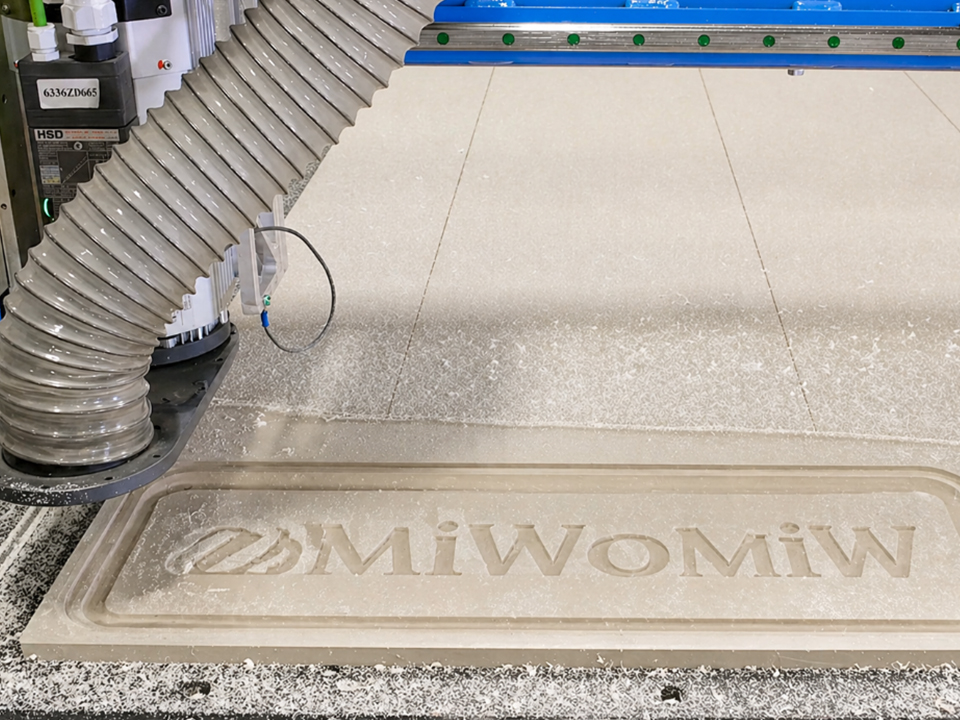
No fake names. No made-up drama. Just normal acrylic work.
This job looks simple until the letters get small.
The machine has to keep the sheet flat. The tool has to clear chips. The inside corners must stay sharp enough. If the router vibrates, thin strokes look rough. If the feed is wrong, the edge turns white.
For this work, I’d rather have a rigid 3-axis router with a good vacuum table than a cheaper machine with a weak frame and a loud spindle.
Large panels need stable sizing. A 1 mm mistake may not sound huge, but it can ruin the fit inside a frame.
Here, work area and hold-down matter. If you reposition the panel because the table is too small, you add risk. If the sheet lifts, the edge quality drops. A full-size industrial router makes more sense.
Many sign shops don’t cut acrylic only. They cut PVC, aluminum composite panels, MDF, foam board, and sometimes wood.
That’s where a 3-axis CNC router with tool change capability helps. One job may need engraving, drilling, profile cutting, and pocketing. A 12-tool ATC can reduce manual tool changes and setup errors.
| What You Need | Machine Feature to Check | Good Sign | Bad Sign |
|---|---|---|---|
| Clean acrylic edge | Spindle stability and cutter match | Stable RPM, proper acrylic tooling | Seller only talks about high speed |
| Thin sheet control | Vacuum table | Zoned vacuum, flat table, good sealing | Weak suction, too much tape needed |
| Repeat letters and panels | Frame and motion system | Heavy structure, smooth motion | Chatter on small shapes |
| Faster mixed jobs | ATC workflow | 8–12 tools available | Manual changes slow every job |
| Full-sheet cutting | Work area | 4×8 ft or larger option | Too much repositioning |
| Less downtime | Support and parts | Clear service path | Slow or unclear response |
| Future growth | Custom options | Room for automation | Machine can’t adapt |
The first mistake is buying too light.
The second is buying too cheap.
The third is buying more axes than the shop needs.
Acrylic sign cutting does not ask for fancy motion. It asks for stable motion. It asks for a clean edge. It asks for a table that holds the sheet down. It asks for a spindle that cuts instead of burns. It asks for support when something goes wrong.
So I’d rather see a sign shop buy a serious 3-axis industrial router than waste money on a machine that looks advanced but doesn’t match the work.
Also, don’t trust one small sample.
Send the supplier your hardest file. Use your real acrylic thickness. Include small letters, holes, long curves, inside corners, and a part that usually gives your team trouble. Ask for a cut test. Then inspect the edge, the underside, and the fit.
That tells you more than a brochure.
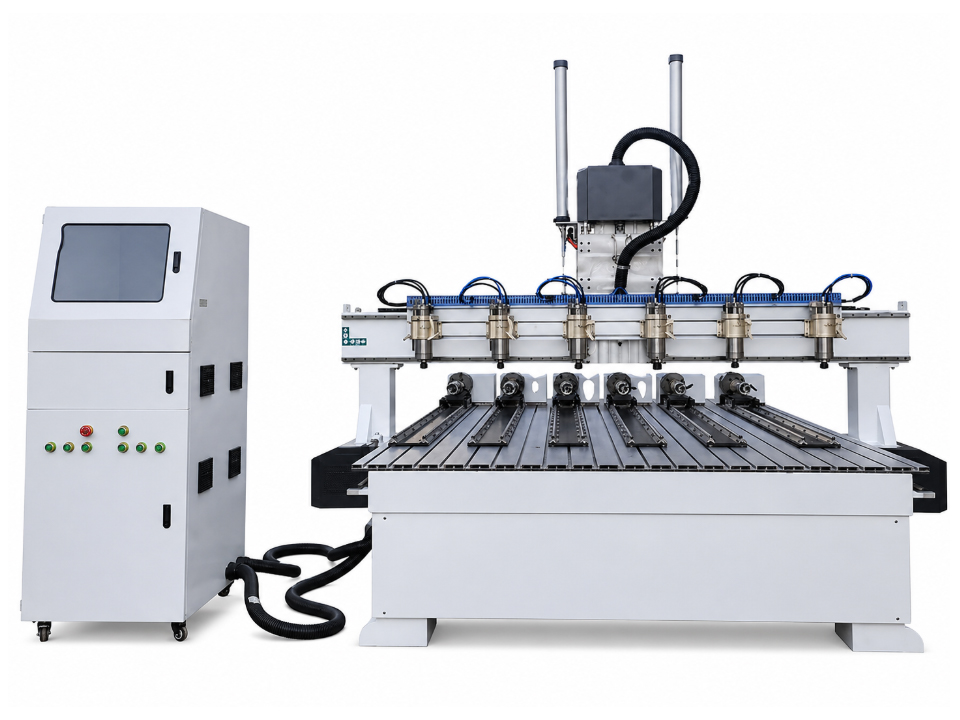
If your shop focuses on acrylic sign cutting, a 3-Axis CNC Router is usually the right machine class. It fits flat sheet work. It keeps training simple. It keeps the budget focused. And if you choose a strong industrial build, it gives you the clean edges and repeat output your customers expect.
SUNTECCNC’s strength is the full path it offers: standard 3-axis routers, ATC nesting systems, automated loading and unloading, custom CNC router options, and machine support for shops that want to grow.
Don’t buy by headline price.
Buy by edge quality, vacuum hold-down, repeat accuracy, tool change workflow, service response, and how well the machine matches the jobs sitting on your table right now.
If you want to turn this choice into a real machine shortlist, contact SUNTECCNC through the Contact page and share your acrylic thickness, sheet size, daily output, tool needs, and finish target. The right answer should come from your work, not from a random catalog page.