Don't worry, contact your boss immediately
Don't rush to close it, now, please talk to our boss directly. Usually reply within 1 hour.

John
JINAN SUNTEC CNC Machinery Co., Ltd
We Use SSL/3.0 To Encrypt Your Privacy

Let’s be honest. A lot of people ask this question after they’ve already looked at a cheap desktop CNC machine online and thought, “Maybe this can engrave aluminum, brass, and stainless steel.”
Maybe it can.
Maybe it can’t.
That’s the problem.
Metal engraving is not like engraving wood. Wood forgives you. Acrylic complains a little. Aluminum starts exposing weak parts of the machine. Brass shows whether your spindle runs clean. Stainless steel? Stainless steel has no patience for weak frames, loose rails, poor clamping, or wishful thinking.
So, what CNC machine is best for metal engraving?
My answer is simple: the best CNC machine for metal engraving is a rigid CNC router or CNC milling machine with a strong frame, stable spindle, accurate drive system, and proper workholding. For small aluminum or brass plates, a strong 3-axis CNC router may work well. For deeper metal engraving, complex shapes, or repeated industrial jobs, you need a heavier industrial CNC machine.
That’s the real answer. Not the prettiest one. But it’s the one that saves money.
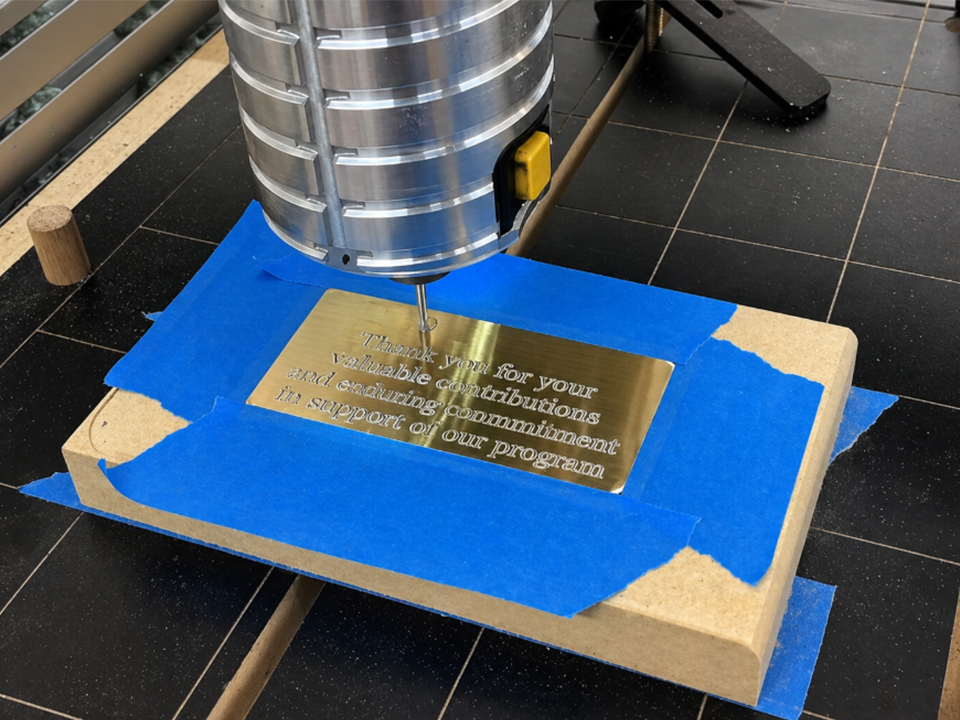
Before choosing a CNC machine, ask one thing first: what metal will you cut most often?
Not once a year. Not in a YouTube test. Most often.
Metal type changes everything. Aluminum is much easier than stainless steel. Brass cuts cleanly, but it still needs good spindle control. Copper can feel sticky. Steel needs more stiffness. Stainless steel pushes small machines past their comfort zone fast.
Here’s a simple breakdown.
| Metal Type | Engraving Difficulty | Best Machine Type | Notes |
|---|---|---|---|
| Anodized aluminum | Easy to medium | 3-axis CNC router or CNC engraver | Good for nameplates, panels, tags |
| 6061 aluminum | Medium | Rigid CNC router or CNC mill | Needs sharp tools and chip control |
| Brass | Medium | CNC router with stable spindle | Great finish when the machine is rigid |
| Copper | Medium to hard | Strong CNC router or mill | Can grab tools if settings are poor |
| Mild steel | Hard | CNC milling machine or heavy CNC router | Needs slower cuts and strong setup |
| Stainless steel | Very hard | CNC mill or industrial metal machine | Not ideal for weak desktop machines |
This is why one machine can’t fit every shop. A sign shop engraving aluminum nameplates does not need the same machine as a factory cutting deep marks into steel parts.
SUNTECCNC covers this wider range with industrial CNC router options and custom machine setups. You can start by checking the main SUNTECCNC CNC router machine range to compare machine structures, axis types, and possible applications.
A big spindle on a weak frame is still a weak machine.
I’ve seen buyers focus too much on spindle wattage. They see 2.2 kW, 3.5 kW, or 6 kW and think the machine must be strong. Not always. Power helps, yes. But if the gantry shakes, the Z-axis flexes, or the table cannot hold the part flat, the cutter will chatter.
Chatter ruins engraving.
It makes letters look rough. It widens thin lines. It breaks small V-bits. It leaves burrs. It also makes operators slow the machine down until the “fast CNC machine” becomes a very expensive patience test.
For metal engraving, look at the machine body first.
A strong CNC machine should have:
This is where industrial CNC routers beat small hobby machines. SUNTECCNC’s industrial CNC router guide makes this difference clear: desktop machines are fine for light work, but industrial routers are built for heavier loads, bigger sheets, and longer production hours.
That matters for metal.
Not sometimes. Always.
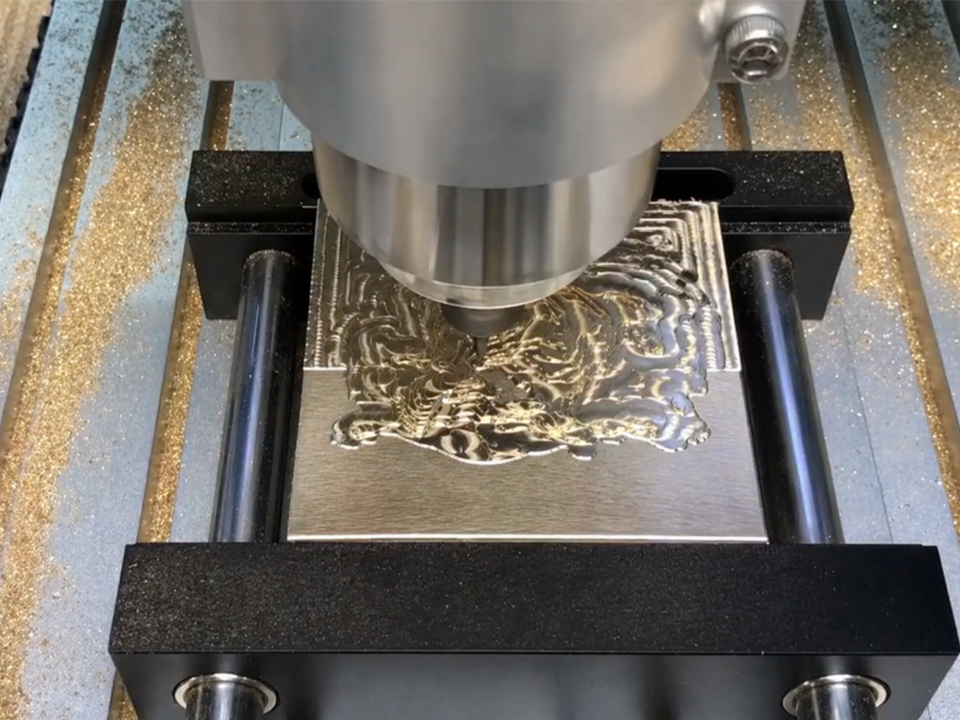
If your main work is aluminum engraving, you don’t always need a 5-axis machine. A well-built 3-axis CNC router can do a lot.
Think about common jobs:
For these jobs, the machine does not need fancy movement. It needs repeatable movement.
That means clean X, Y, and Z travel. It also means the plate must stay flat. If the plate lifts even a little, your engraving depth changes. With V-bit engraving, that small change becomes very visible. A line that should be thin becomes thick. A logo that should look sharp starts looking cheap.
So the best CNC machine for aluminum engraving is often a rigid 3-axis CNC router with a vacuum table, accurate motion system, and spindle matched to the tool size.
If you’re comparing options, start with the SUNTECCNC custom CNC router lineup and look for machines that can be matched to aluminum panel size, spindle power, and production volume.
Brass can make a machine look good. It cuts cleanly. It gives a sharp edge. It also shows bad runout fast.
Runout means the tool does not spin perfectly centered. A little runout may not matter much when rough-cutting wood. But with fine metal engraving, it matters a lot. A tiny tool becomes unstable. The cut gets wider than expected. Small letters lose detail.
Copper adds another problem. It can feel gummy. It may stick to the cutter if feed, speed, and chip removal are wrong.
For brass and copper engraving, I’d care about these things:
| Machine Feature | Why It Matters For Brass/Copper |
|---|---|
| Low spindle runout | Keeps small text clean |
| Strong Z-axis | Controls engraving depth |
| Rigid frame | Reduces vibration |
| Proper cooling or air blast | Clears chips and protects tools |
| Good clamping | Stops thin plates from ringing |
| Stable controller | Keeps motion smooth |
This is why I don’t like calling every router a “metal engraving machine.” Some machines can scratch metal. That’s not the same as controlled engraving.
If your shop handles brass plaques, copper panels, aluminum molds, or mixed non-ferrous metal jobs, a stronger industrial setup makes more sense. SUNTECCNC’s 4-axis CNC router for foam, wood, and aluminium mold making is a better direction when the job moves beyond flat, simple engraving and into curved or mold-related work.
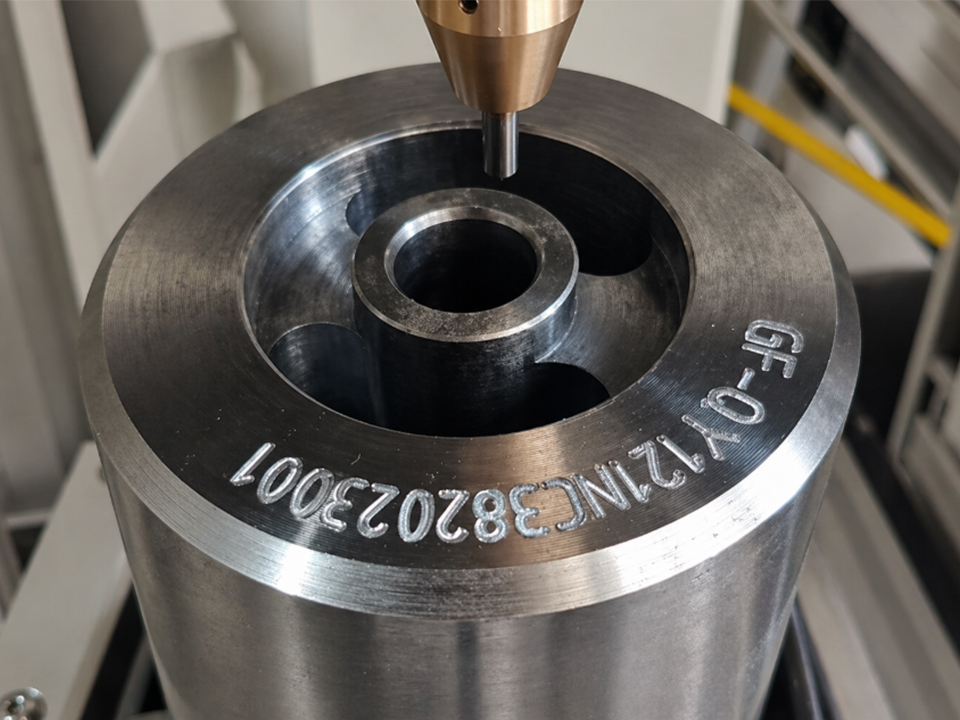
Stainless steel is the line in the sand.
Can a small CNC router mark stainless? Sometimes. Can it engrave stainless well all day? Usually not.
There’s a big difference.
Light marking, surface scratching, and shallow engraving are possible with the right tool and settings. But deep, clean stainless engraving needs real machine stiffness. It also needs slow, controlled cutting. The machine must resist vibration, heat, and tool pressure.
This is where many buyers make a bad call. They buy a low-cost desktop CNC machine because the seller says “metal engraving.” Then they test it on stainless steel and get ugly results. The machine screams. The bit burns. The mark looks rough. Then they blame the software.
The software is not the main problem.
The machine is.
For stainless steel, I’d look at a heavier CNC milling machine or a serious industrial machine. If the work is mostly marking serial numbers, logos, or QR codes, a laser may also be worth comparing. But if the job requires physical cuts into metal, do not underbuy the machine.
For most flat metal engraving, 3-axis is enough.
A 3-axis CNC machine moves in X, Y, and Z. That’s all you need for plates, panels, labels, and flat signs. It’s also easier to program, easier to fixture, and easier to train operators on.
A 4-axis CNC machine makes sense when the part is round or curved. Think cylinders, tubes, columns, curved molds, and parts that need engraving around the side.
A 5-axis CNC machine is for complex surfaces. It costs more. It needs better programming. It needs better operators. But it can reach angles that a 3-axis machine cannot.
Here’s the clean version.
| Axis Type | Best For | Should You Buy It For Basic Metal Engraving? |
|---|---|---|
| 3-axis CNC machine | Flat plates, panels, tags, logos | Yes |
| 4-axis CNC machine | Cylinders, curved parts, mold work | Maybe |
| 5-axis CNC machine | Complex 3D parts, advanced molds | Only if the job needs it |
A lot of buyers want more axes because more sounds better. It isn’t always better. More axes mean more cost, more setup, more risk, and more training.
If your metal engraving work is flat, buy a better 3-axis machine before buying a weak 4-axis machine.
But if you cut molds, industrial parts, or larger curved surfaces, then a stronger 4-axis setup has real value. SUNTECCNC’s 4-axis CNC router for car mold applications is a good example of a machine direction built for more complex 3D machining, not just flat engraving.
Most mistakes happen before the machine ships.
The buyer knows the budget. The seller knows the machine. But nobody writes down the real job clearly.
Use this table before choosing a CNC machine for metal engraving.
| Question | Bad Answer | Better Answer |
|---|---|---|
| What metal will you engrave? | “Many kinds” | “6061 aluminum, 2 mm depth max” |
| What size is the part? | “Normal size” | “600 × 400 mm aluminum panel” |
| How deep is the engraving? | “Not too deep” | “0.2 mm text, 1 mm logo pocket” |
| How many parts per day? | “Sometimes a lot” | “80 plates per shift” |
| What accuracy do you need? | “High precision” | “±0.05 mm is acceptable” |
| Flat or curved surface? | “Both maybe” | “Mostly flat, some tubes later” |
| Manual or automatic tool change? | “Not sure” | “Need ATC for batch jobs” |
That last one matters.
If your work uses one V-bit all day, you may not need an automatic tool changer. If one job uses drilling, pocketing, roughing, finishing, and engraving, ATC can save real time. Not marketing time. Real operator time.
SUNTECCNC builds machines for different shop needs, and that matters because metal engraving is not one job. It is a group of jobs wearing the same name. You can also contact the team through the SUNTECCNC contact page with material, size, depth, and production details before choosing a machine.
Sample videos sell machines. They don’t always prove machines.
A short video can hide slow feed rates, tiny depth of cut, perfect material, new cutters, and careful setup. That doesn’t mean the machine will run your work every day.
Ask better questions.
What tool was used?
What spindle speed?
What feed rate?
What depth per pass?
What material grade?
What clamping method?
What finish after 100 parts?
What happens after six months?
A proper CNC machine supplier should be able to talk about these details without dancing around them.
This is one reason I like custom configuration for serious buyers. You don’t just buy a machine model. You match the machine to the work. SUNTECCNC highlights custom CNC router thinking across its site, and that approach fits metal engraving better than one-size-fits-all buying.
For a small sign shop, the answer may be a 3-axis industrial CNC router. For a mold shop, it may be a 4-axis or 5-axis machine. For a furniture factory that only engraves occasional metal tags, the answer may be different again.
Here’s the plain answer.
For basic aluminum and brass engraving, choose a rigid 3-axis CNC router with a stable spindle, strong frame, and good workholding.
For larger aluminum panels and production engraving, choose an industrial CNC router with stronger drive systems, better table support, and enough spindle power for longer daily use.
For curved parts, molds, tubes, and shaped surfaces, choose a 4-axis CNC router.
For complex industrial parts and advanced 3D surfaces, choose a 5-axis CNC machine only if the work really needs it.
For stainless steel, be careful. Don’t expect a light router to behave like a metal milling center. If stainless is your main material, talk through the exact depth, tool path, and production target before buying.
The best CNC machine is not the one with the loudest brochure. It’s the one that matches your metal, your depth, your part size, your daily workload, and your operator skill.
That’s it.
Simple. But not easy.
Metal engraving buyers need more than a product page. They need machine matching.
SUNTECCNC has more than 10 years of CNC machine experience and serves customers across many regions. The company focuses on CNC routers, multi-axis machines, nesting systems, and custom CNC router solutions. You can learn more about the company on the SUNTECCNC About page.
The useful part is the range. A buyer can compare 3-axis, 4-axis, 5-axis, and higher-axis machine directions instead of forcing every job into one model.
That matters because the wrong CNC machine does not fail loudly on day one. It fails slowly. Rough edges. Broken bits. Missed delivery dates. Operators making excuses. Customers asking why the engraving looks different from the sample.
Nobody wants that.
If you already know your metal and part size, start with the SUNTECCNC product catalog. If you’re still choosing between desktop and industrial class, read the desktop vs industrial CNC router comparison before making the jump.
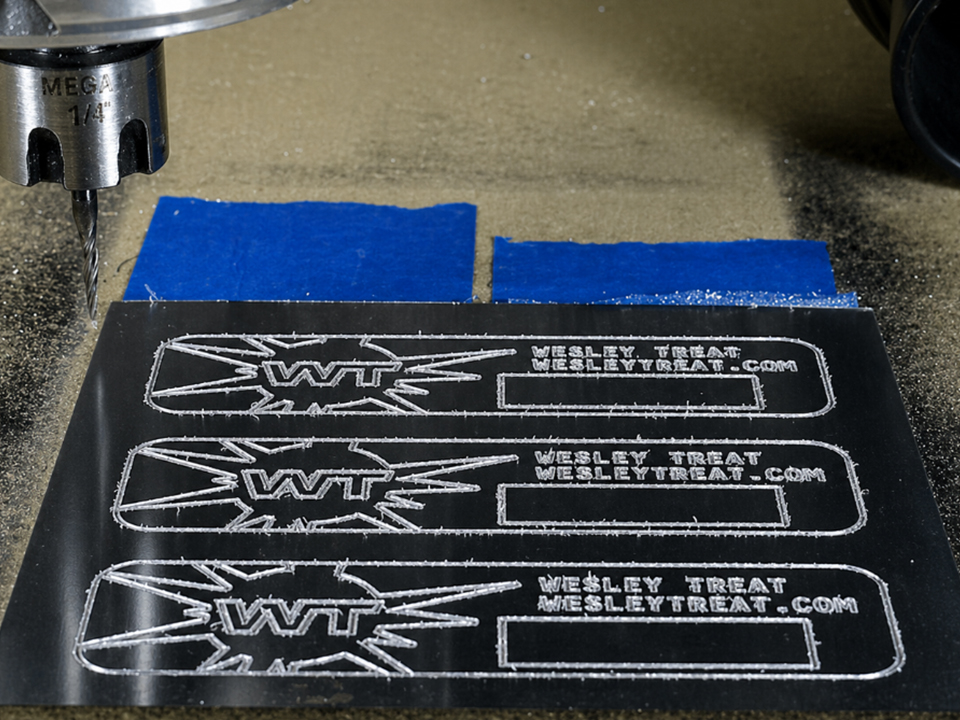
If you want clean metal engraving, don’t start with price. Start with the cut.
What metal?
What depth?
What size?
How many parts?
How clean does the finish need to be?
Once those answers are clear, the right CNC machine becomes much easier to choose.
For most shops, a rigid 3-axis industrial CNC router is the best starting point for aluminum and brass engraving. For curved work, move to 4-axis. For complex surfaces, consider 5-axis. For stainless steel, slow down and spec the machine carefully.
Metal engraving rewards boring choices: strong frame, stable spindle, solid clamping, good tools, and honest machine sizing.
Need help choosing the right CNC machine for your metal engraving job? Visit SUNTECCNC and share your material, work size, engraving depth, and production target. The better the details, the better the machine match.